Pages

Showing posts with label cd/dvd burners. Show all posts

Free & OpenSource CD/DVD Burning Software - InfraRecorder

Starting with Windows XP ... it's true that Windows in general comes with a basic built in CD/DVD/Blu-ray burning utility. But if you want a dedicated optical disk burner with some decent amount of features that also happens to be free  and opensource :), then InfraRecorder (only for MS Windows) is a pretty cool application that I've been using from time to time.

Although when comparing with professional burning suits such as Nero for instance, InfraRecorder is nowhere near that quality but for everyday CD/DVD burning needs... this free tool can certainly live up to most of our needs.

Main features...

*. The GUI is pretty simple and is a bit similar to the one that you see with most other utilities... as shown below.

"Welcome Screen"...
*. Create Data/Audio/DVD-Video or create disk images + burning images.

*. Session import support (sometimes necessary while burning multi-session disks).

*. Close and Erase CD/DVD-RW.

*. Create disk copies on-the-fly.

*. The burning window is also extremely similar to the "Nero Burning Rom". Adding/removing files is pretty easy.
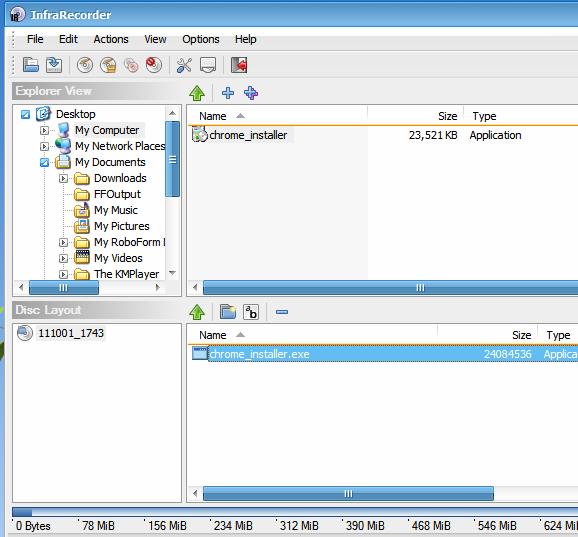

*. Change few advanced settings such as: Change buffer size, associate with disk image extensions, enable/disable windows explorer context menu, etc.

*. Create Boot-able disks and change ISO format settings, UDF file system related settings and add publisher name, Volume set, Date of Burning, etc.

*. Get advanced disk information (not always used but can come in handy sometimes)... are among the main features.

And since the recent versions of Nero uses a huge amount of system resources, it certainly ain't the most fastest around the corner these days. But InfraRecorder on the other hand is a fast loading, extremely resources friendly application that you can safely run even in your "old" computer as well.

Anyhow, if you're looking for a simple & fast loading Open-Source CD/DVD burning application software (which won't be able to replace Nero suite by any means but...) to run under Windows, then InfraRecorder is a pretty decent app.

If interested, you can get it from this InfraRecorder home page.

How to Install Xfburn (CD/DVD burner) in Ubuntu 11.04 Natty Narwhal, 10.10 and 10.04?

By default Ubuntu Linux (both Unity and Gnome) comes with an optical disk burning utility called "Brasero". It's pretty good actually... loads fast and does its job quite well but if you want an even more fast CD/DVD burning application then you should try another one called Xfburn which is actually the default burner in the Xfce desktop environment.

I prefer Xfburn over Brasero for two main reasons. As mentioned above its quite fast and light on resources + although not much but since Brasero (the Gnome desktop's  default app) won't even let you change things like the buffer size out of its arrogant being simple "philosophy".

Xfburn on the other hand lets you change few settings that are necessary for better stability and controllability, if you are a bit of a "advanced" geek :P but please be aware that  if you want to compile a video DVD for instance ... then you'll be better off with Brasero since Xfburn does not have that implemented at the moment. But for the usual burning "jobs" this is quite handy. 

Main features...

*. Just like other CD/DVD burning applications Xfburn also has built in wizard type welcome screen from which you can choose -

1. Burn an Image (ISO, etc).

2. Create a new data compilation (switch between various CD/DVD sizes from 200 MB -  7.9 GB). 


3. Blank a disk.

4. Create an Audio CD.

*. Separate file explorer window integration.

*. Under the "Preference" window as mentioned before you can change the buffer size, show hidden files, change the "tmp" file directory, detected devices list, etc.

On the "negative" side, it doesn't seem to support "plug-in" at the moment...

Well that's about it actually. You can install Xfburn 0.4.3 (current version) in Ubuntu 11.04 Natty Narwhal, 10.10 and 10.04 by using the below command in your Terminal window. How to Install Xfburn (CD/DVD burner) in Ubuntu 11.04 Natty Narwhal, 10.10 and 10.04?
sudo apt-get install xfburn

That should do it. You can use multiple optical disk burning applications without any "collusions" as well. Enjoy!.

Install the Qt Written k3b CD Kreator in Ubuntu 11.04 Natty Narwhal?

When it comes writing/compiling CD-DVDs in GNU/Linux I think most will agree to the fact that k3b, well... it just rocks!. I mean no disrespect intended for Gnome's CD/DVD writing utilities but with k3b there was an occasion that I was able to erase a DVD rw (back when I was using the awesome OpenSuse) that both MS Windows and Gnome failed to achieve.

k3b has come a long way since. And with the introductions of the version 2.0 it was released for the KDE4 which was obviously written using the Qt4 toolkit. To be honest with the older k3b with KDE3+ it was a bit of a hassle, you know a bit too much distractions but with the more simplified (still better than Gnome, in some aspects) KED4... k3b is also looks pretty darn good.

Main features...

*. Create Data/Audio and DVD (video).

*. Easy to use startup wizard.


*. Erase your CD/DVDs.

*. Change few advanced options (such as buffer-underrun, etc).

*. Rip Audio CDs (automatic CDDB information fetching from online sources and inserting, etc).

*. Create VCD/SVCD.

*. With k3b you can even encode DVDs into Xvid/Divx! (needs to have installed the encoders first).

*. Create Mixmode CDs.

*. Plug-in support, so we can easily add more features easily by installing the necessary plug-ins.

*. Copy CD in different ways such as - copy multi/single session cds, audio cds, CD cloning, etc.

You can easily install k3b in Ubuntu 11.04 Natty Narwhal (should work in 10.10 and 10.04 as well) by entering the below command in your Terminal window.
sudo apt-get install k3b

That's it.

How To Install Gnome Baker (CD/DVD Burner) In Ubuntu

Ubuntu by default comes with the Brasero CD/DVD burner which is another cool tool no doubt. But nothing is perfect and there were few occasions where Brasero had failed me... but was able to get few things done using another great free CD/DVD burning application (GTK + based) called Gnome Baker.

Wanna bake some!... :)

With it you can ...

*. Blank RW disks.

*. Create audio CDs.

*. Copy data and audio cds to your HDD.

*. Multisession support.

*. Make disk images (.iso).

*. Convert various audio files and make audio cds (to do that you'll have to install proprietary codes and encoders as well).

*. Once installed automatically Integrate with Nautilus file manager.

These are just a few to name. But please be aware of the fact that Gnome baker project is kinda freeze-d these days (no updates since 2008 .. yikes!) and has its limitations such as no UDF support for instance.

But as I said before, it does come in handy sometimes when other burning applications fail and I recommend it to be used as a "rescue" tool rather than using it to replace your current burning utility. So if you use Ubuntu, then issue the below command to install it ...


sudo apt-get install gnomebaker